CivicMeeting
Public Meeting Transparency
Make public meetings easier to find, follow, and understand.
CivicMeeting transforms recorded municipal meetings into searchable public information that helps residents and staff find important discussions and decisions.
- Modular — choose the features you need
- Every result links to its source
- AI content clearly labelled
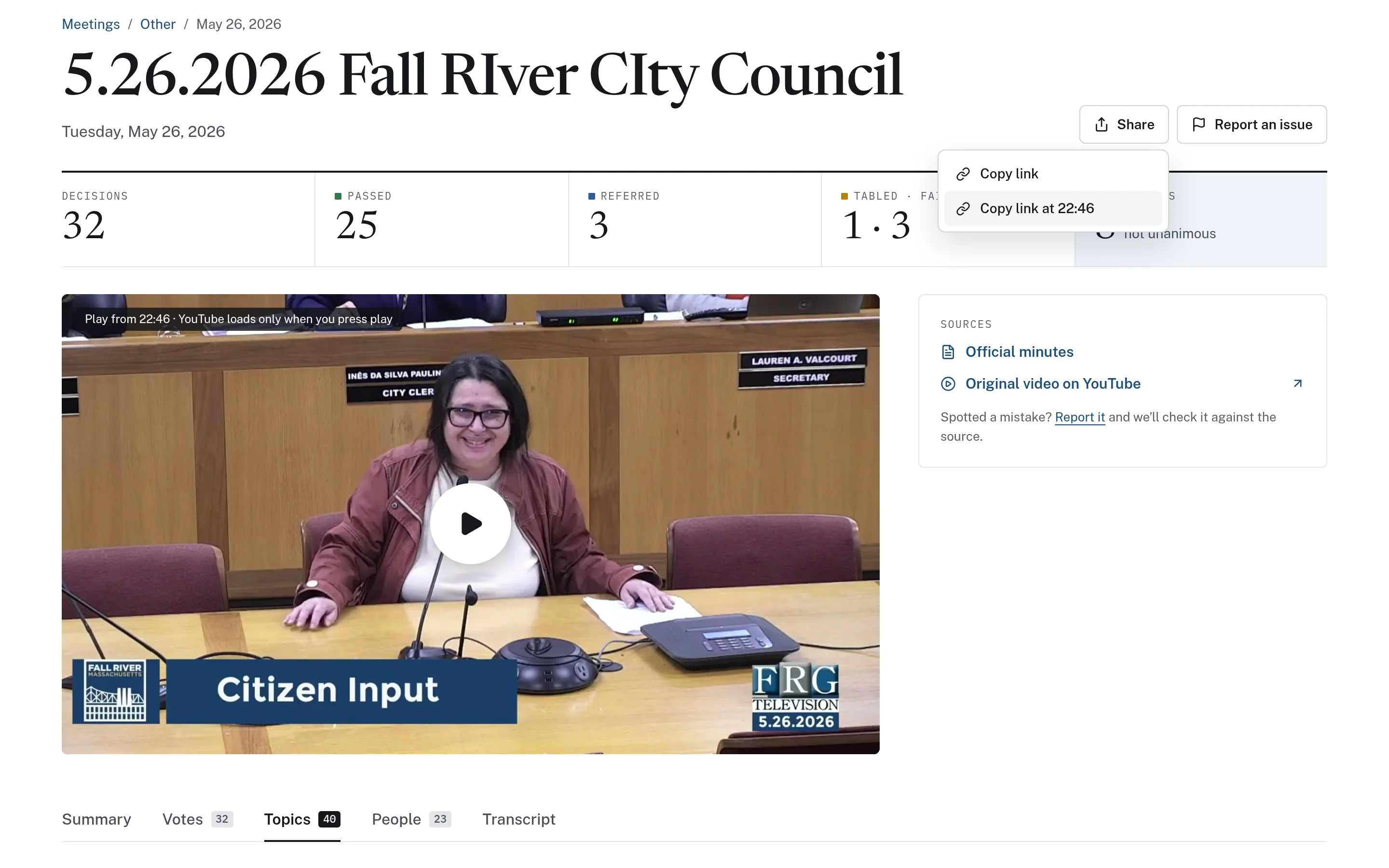
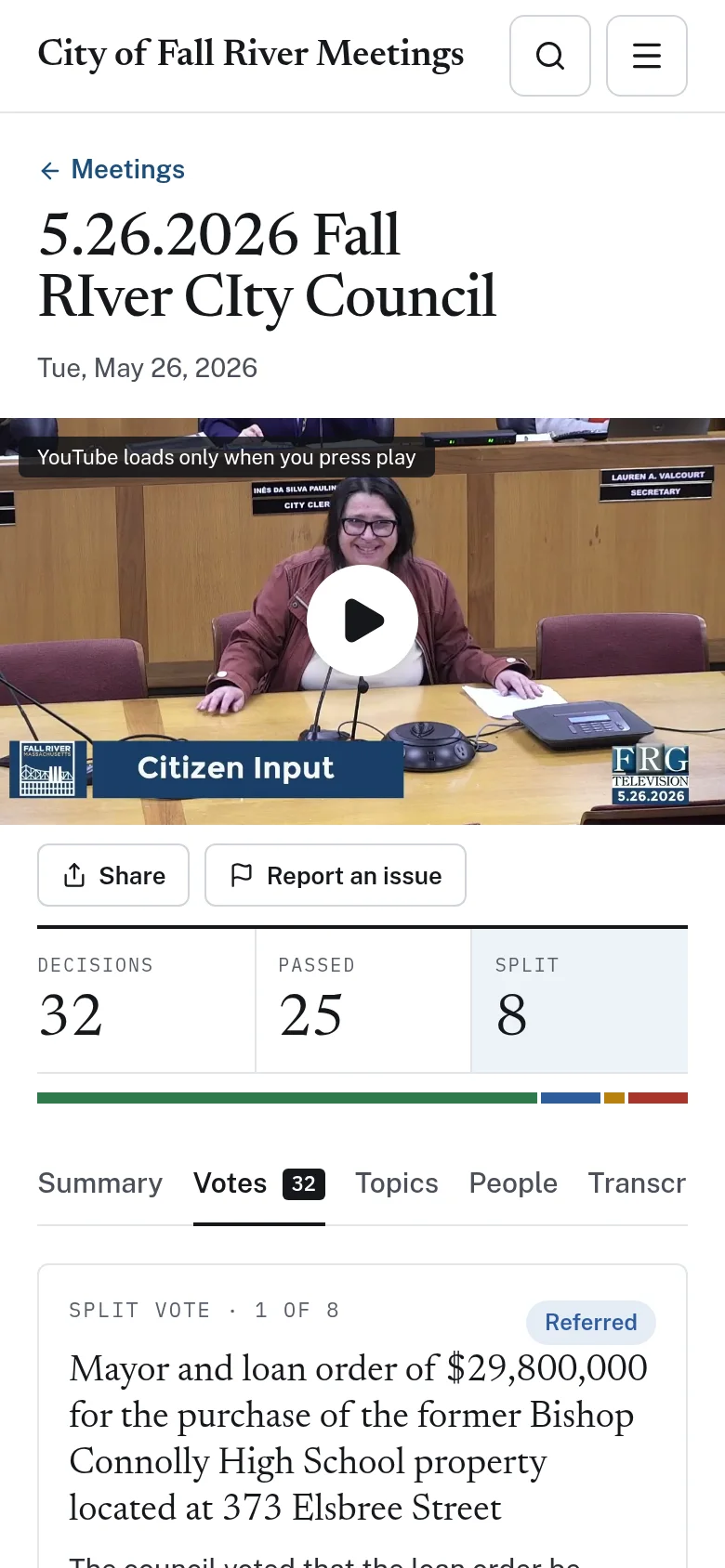
Public meetings are public — but rarely accessible in practice.
Recordings sit on video platforms as multi-hour files with no index. Minutes arrive weeks later as PDFs. A resident who wants to know what the council said about a road project has to scrub through hours of video, and staff field the same questions over and over.
Hours of unindexed video
Finding one discussion means watching or scrubbing through an entire meeting.
Decisions are hard to trace
How a body voted, and on what, is buried across agendas, minutes, and recordings.
Repeated public questions
Clerks and communications staff answer the same “what happened at the meeting?” questions each week.
From recording to searchable public record.
CivicMeeting works from the meeting records your municipality already publishes. What it can offer depends on which sources are accessible.
- Step 1
Collect public sources
Recordings, agendas, and minutes are gathered from the places your municipality already publishes them.
- Step 2
Transcribe & index
Recordings are transcribed with timestamps and organized into topics, so every moment is searchable.
- Step 3
Add context
Optional modules add labelled AI summaries, vote records from official minutes, and meeting calendars.
- Step 4
Publish & share
Residents search, jump to exact moments, share timestamped links, and follow weekly updates.
A modular platform — start with what you need.
Some communities only need a searchable archive. Others want a complete public meeting information platform. Each module stands on its own.
Meeting archives
Every recorded meeting in one place, filterable by board, committee, and year.
Searchable transcripts
Search every word said in a meeting, across the archive or within one transcript.
Topics & timestamps
Meetings broken into timestamped topics that jump straight to that point in the video.
AI-generated summaries
Readable meeting overviews, clearly labelled as AI-generated and never presented as minutes.
Shareable moments
Share a link that opens the recording at the exact moment a topic was discussed.
Voting records
Decisions and roll calls drawn from official minutes, each with a page citation.
Meeting calendars
Upcoming meetings in list and month views, with links to posted agendas.
Councilor information
Attendance and voting-record pages for elected members, with published methodology.
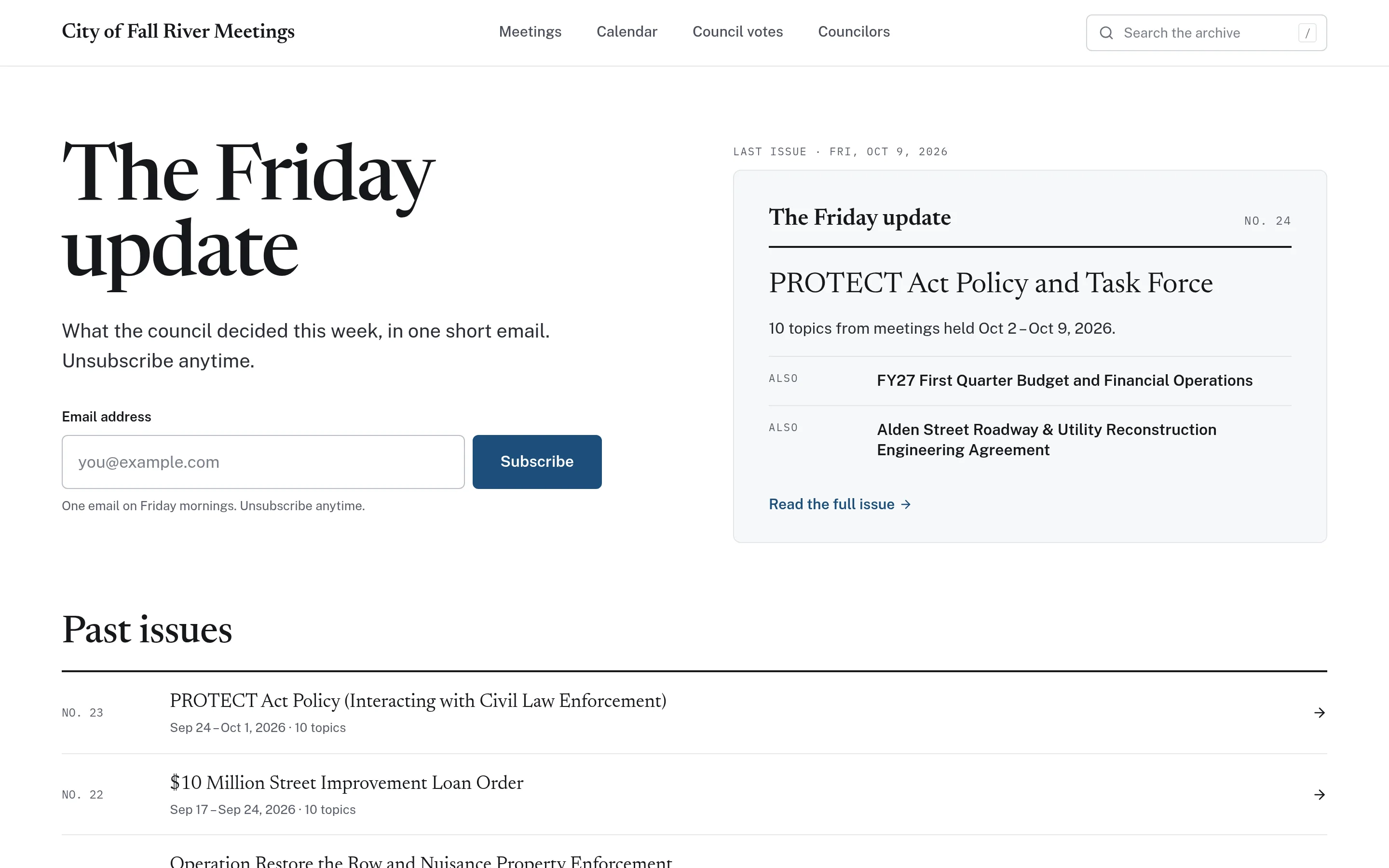
Resident newsletters
A weekly email update summarizing recent meetings, with a public archive.
See CivicMeeting in detail.
Search every word said in a meeting.
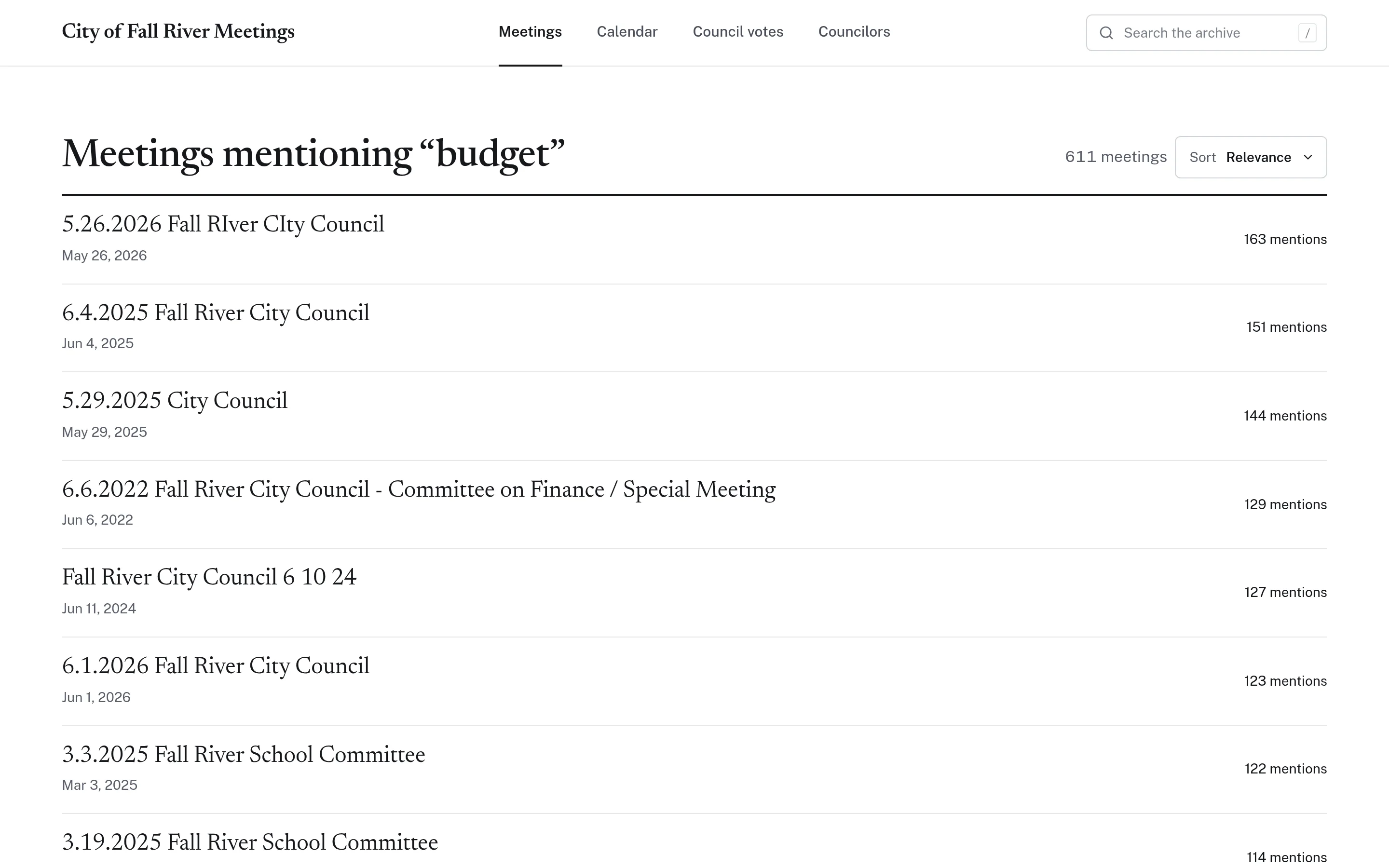
Residents and staff search across years of meetings at once. Results rank meetings by how often a term came up, and each one opens to the matching transcript lines — each linked to its moment in the recording.
- Search across the full archive or within a single meeting
- Filter by board, committee, and year
- Highlighted matches with clickable timestamps
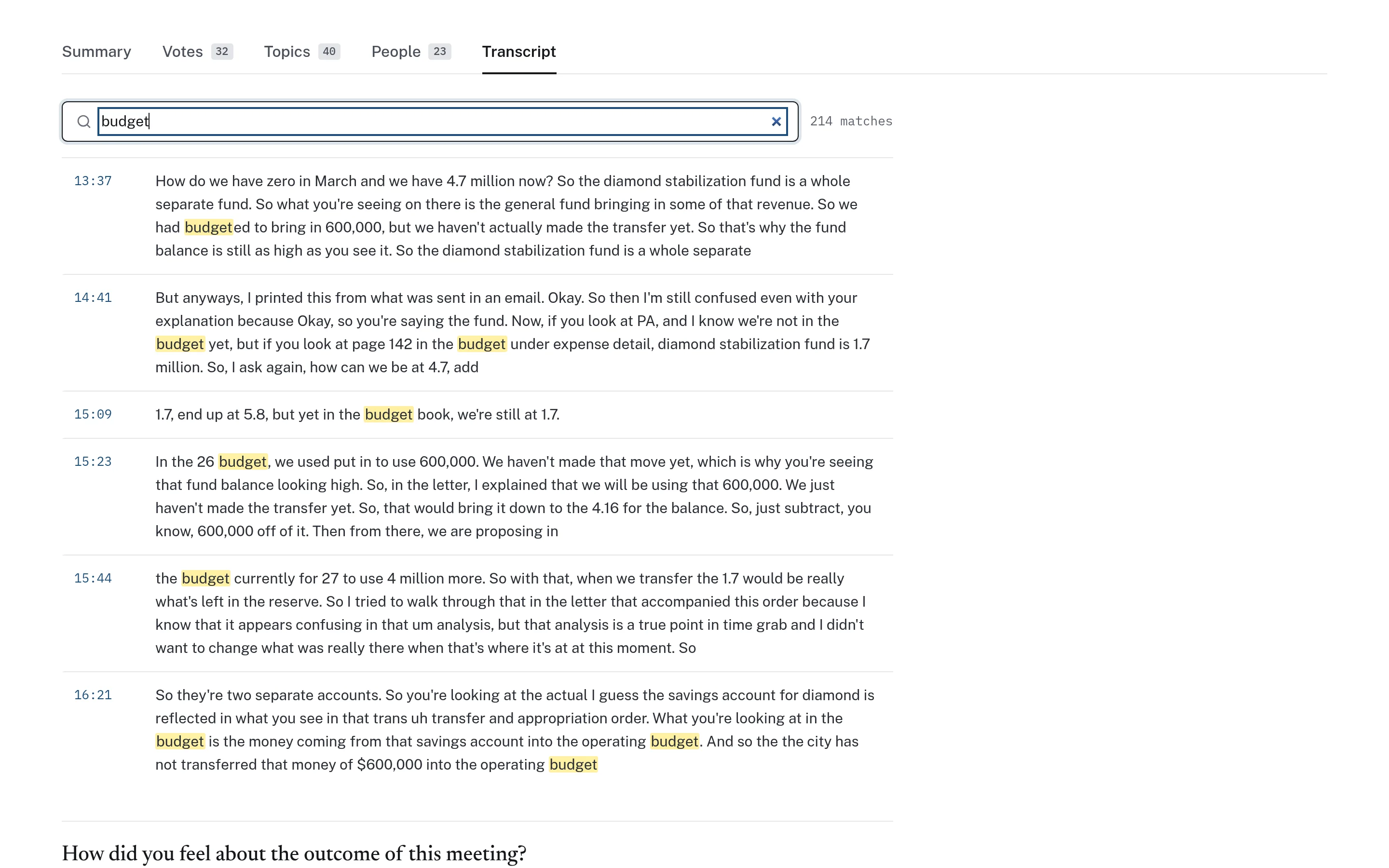
A full transcript, linked to the video line by line.
Each recording becomes a timestamped transcript. Click any line to jump to that point in the video, so readers can always verify exactly what was said and how.
- Timestamped, searchable transcript for every meeting
- Links to the original video and official minutes
- A “report an issue” path for corrections
Understand a three-hour meeting in three minutes.
Topics break each meeting into a navigable agenda with timestamps and short descriptions. Optional summaries give a readable overview — always labelled “AI-generated summary. May contain errors. Watch the video to verify.”
- Timestamped topic list with short descriptions
- Summaries clearly labelled and linked to the source
- Never presented as official minutes
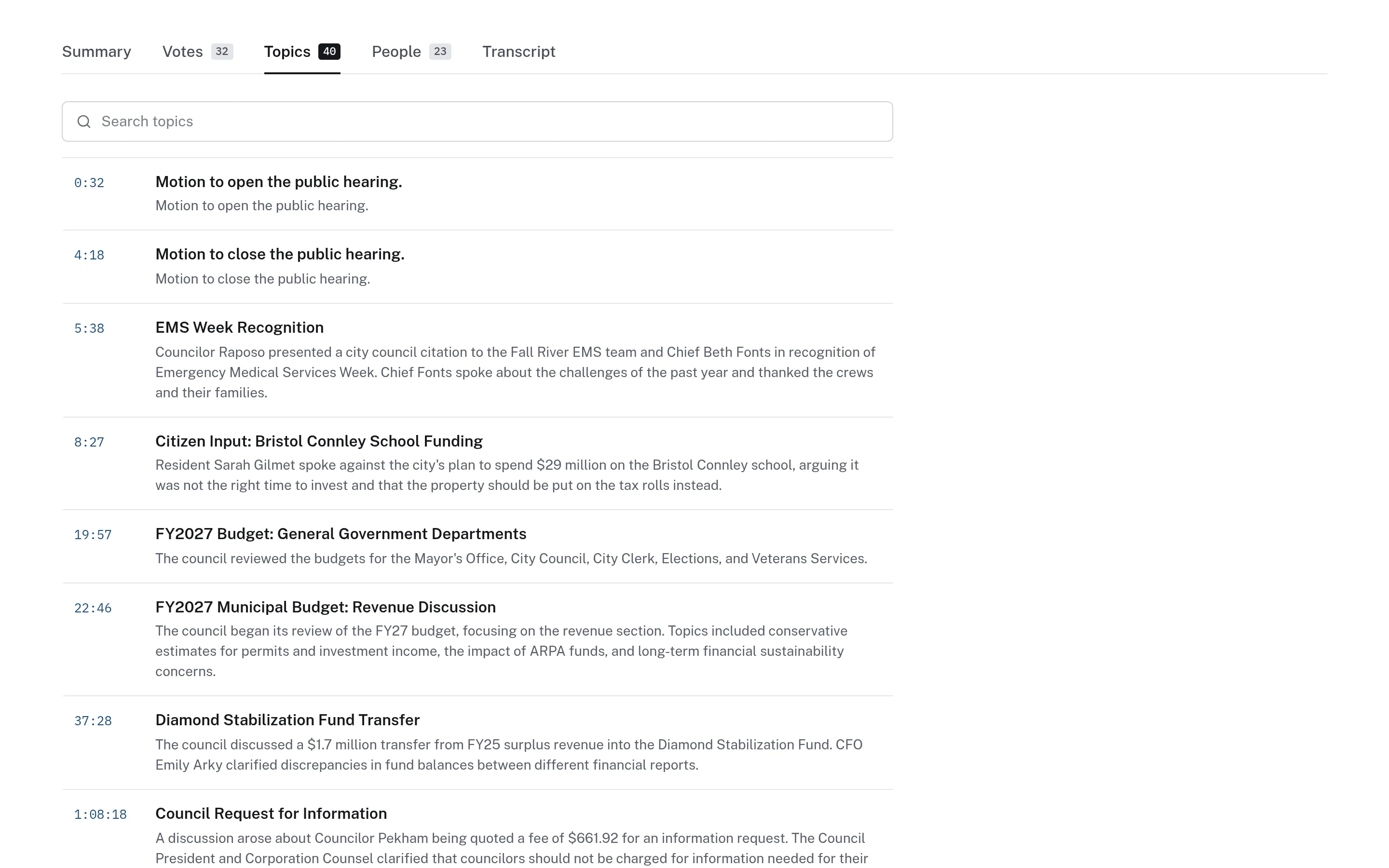
Decisions drawn from the official record.
Where minutes are available, CivicMeeting records each decision with its outcome, tally, and a quotation and page citation from the official minutes. Members who are not individually named are shown that way — never assumed.
- Searchable decisions by subject, member, outcome, and year
- Split votes highlighted with a published methodology
- Each record cites its page in the minutes
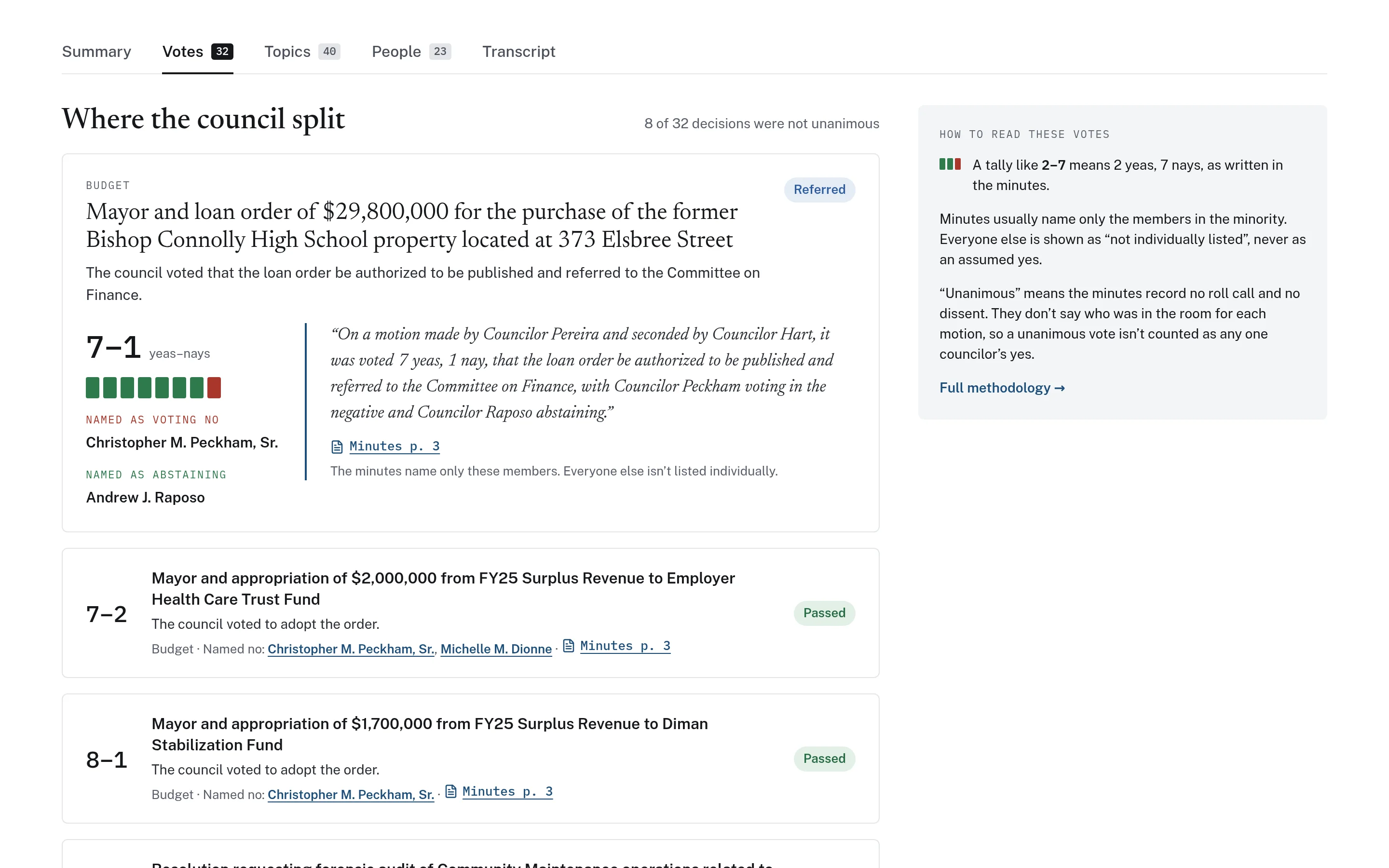
Bring meeting information to residents every week.
A weekly update summarizes what happened in recent meetings and links to the moments that matter, with a public archive of every past issue. Upcoming meetings appear on a calendar with agenda links.
- Weekly email newsletter with a public archive
- Calendar of upcoming meetings with agendas
- Clearly labelled when AI-assisted
Built for the people who keep public meetings public.
CivicMeeting supports the staff and officials who answer questions about meetings every day — and the residents who ask them.
Municipal Clerks
Point residents to a searchable record instead of fielding repeated requests about what was discussed.
Communications
Share timestamped links to discussions and publish a regular, consistent meeting update.
Elected Officials
Reference past discussions and decisions quickly, with links residents can verify.
Administration & Department Heads
Find prior presentations, questions, and commitments relevant to ongoing projects.
Boards & Committees
Make planning board, school committee, and other meetings as findable as council sessions.
Residents & Local Press
Find the moment a topic was discussed without watching hours of video.
Choose the modules that fit your community.
CivicMeeting is modular. Available features depend partly on which meeting records and sources are accessible, so implementation begins with a review of what you already publish.
How implementation worksSource review
Identify where recordings, agendas, and minutes are published and how far back they go.
Module selection
Start with archives and transcripts, then add summaries, votes, calendars, or newsletters.
Historical archive
Decide how much past material to process, based on what is available and useful.
Labelling & corrections
Confirm how AI-assisted content is labelled and how residents report corrections.
AI-generated summaries are navigation aids, not official minutes. The official record remains your municipality’s approved minutes.
Fall River, MA — CivicMeeting
A searchable archive of public meetings with transcripts, topics, labelled AI summaries, council vote records, calendars, and a weekly update.
Independent community application — not an official City of Fall River website.
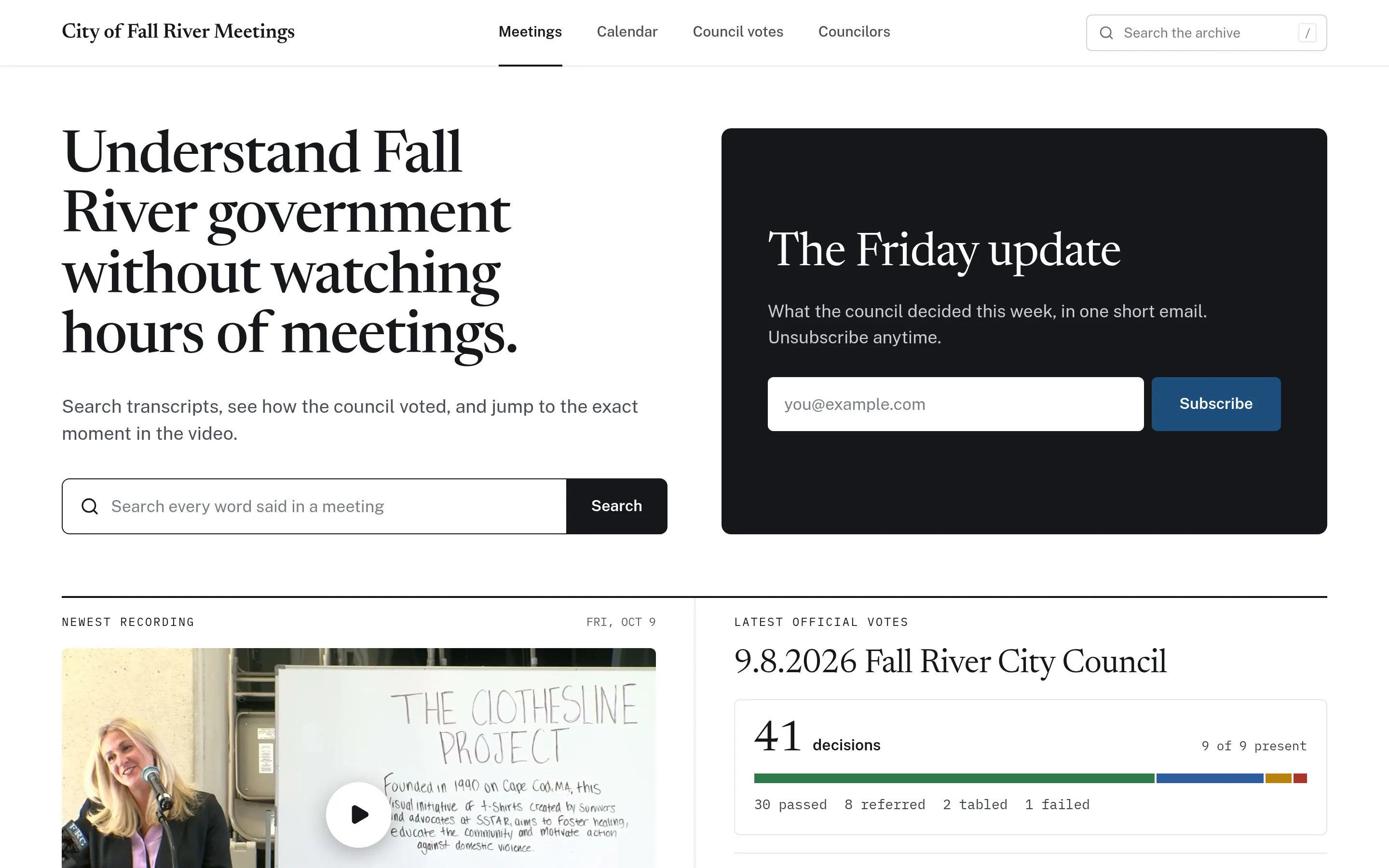
Go deeper into CivicMeeting.
Detailed pages for each part of the product, with workflows, screenshots, and answers to common questions.
Questions about CivicMeeting
Can’t find what you’re looking for? We’re happy to walk through your situation.
Ask us a questionWhere do the meeting recordings come from?
CivicMeeting works from meeting records your municipality already makes public — typically recordings published on a video platform or local access channel, plus posted agendas and minutes. Available features depend on which sources are accessible and how consistently they are published.
How are transcripts created?
Recordings are transcribed automatically and aligned with timestamps, so each line links to its moment in the video. Automated transcripts can contain errors, especially with names and crosstalk, which is why every line links back to the recording for verification.
Are AI summaries official meeting minutes?
No. Summaries are clearly labelled as AI-generated, may contain errors, and direct readers to watch the recording to verify. Your municipality’s approved minutes remain the official record.
Do we have to use every feature?
No. CivicMeeting is modular. Some municipalities only need searchable archives and transcripts; others add topics, summaries, voting records, calendars, councilor pages, or a resident newsletter.
How are voting records compiled?
Where official minutes are available, decisions are drawn from them, including outcomes and tallies, with a quotation and page citation for each. Members not individually named in the minutes are shown as not individually listed rather than assumed.
How does the resident newsletter work?
An optional weekly email summarizes recent meetings and links to the relevant moments, with a public archive of past issues. Residents subscribe and unsubscribe themselves. When newsletter content is AI-assisted, it is labelled accordingly.
Can you include our historical meetings?
Often, yes. If past recordings and minutes are still publicly available, they can be processed into the archive. How far back to go is decided together, based on availability and usefulness.
Which boards and committees can be included?
Any public body whose meetings are recorded and published — for example city council, school committee, planning board, licensing board, or conservation commission.
Can residents report a transcription or summary error?
Yes. Meeting pages include a way to report an issue so mistakes can be reviewed and corrected.
What does implementation involve?
CivicTally reviews your published meeting sources, helps you choose modules, processes the agreed archive, and configures labelling and branding before launch. New meetings are added as they are published.
See how CivicMeeting could work for your community.
Tell us about your municipality and what you’re trying to improve. We’ll walk through the product with your situation in mind — no obligation.