Practical and affordable software for cities and towns.

CivicTally helps municipalities manage community concerns, improve public transparency, and coordinate essential planning—all with technology designed to be approachable and affordable.

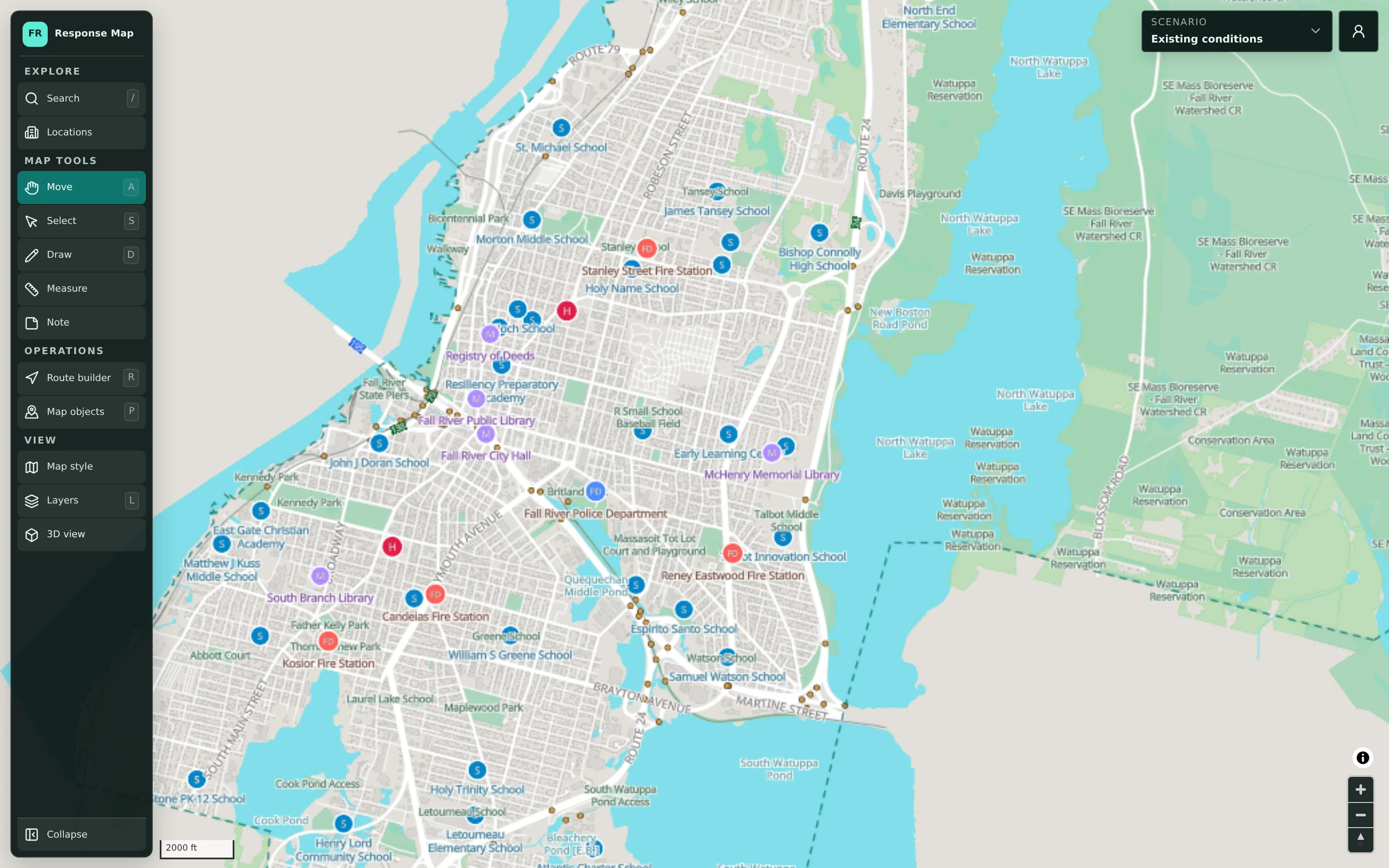
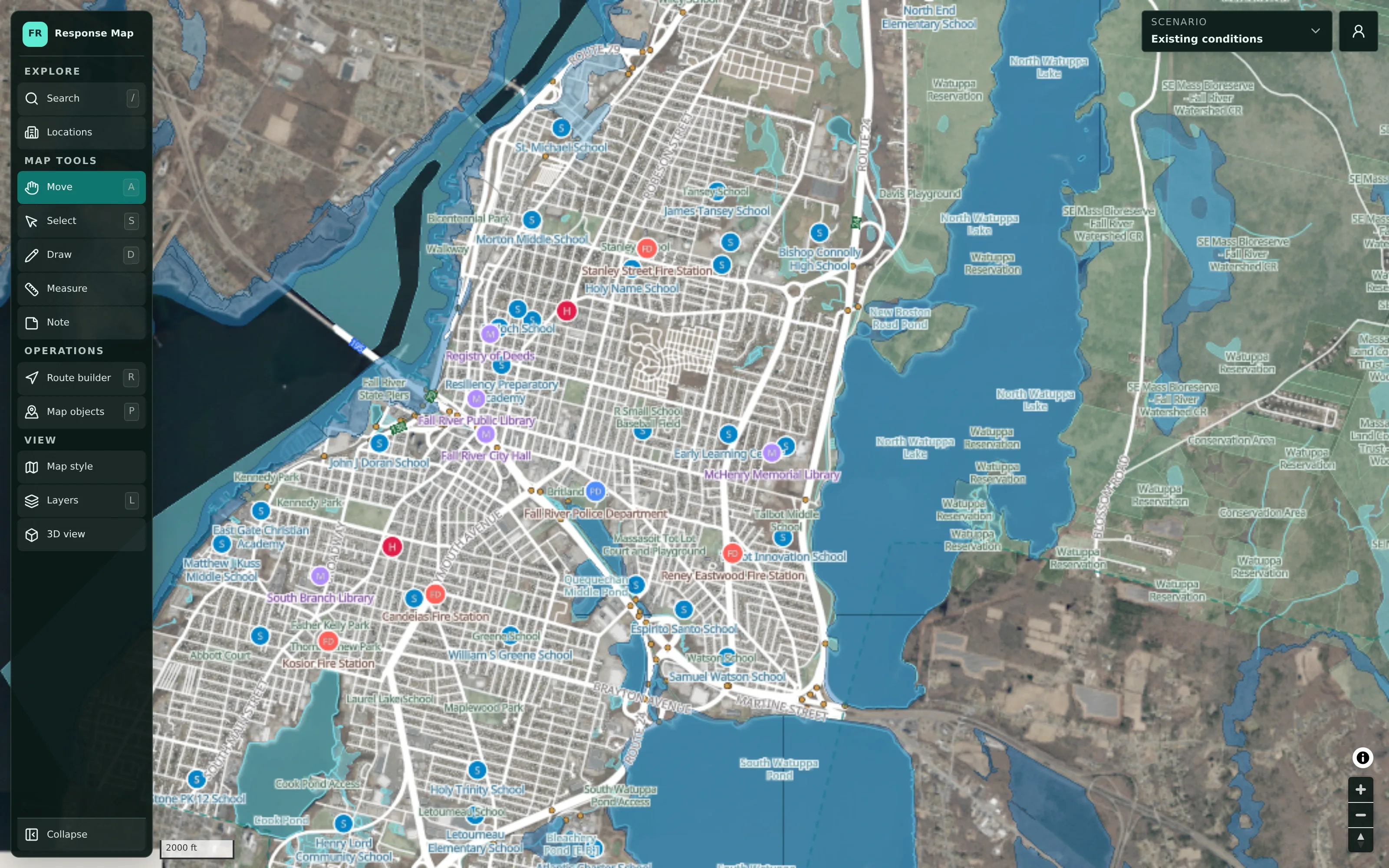
CivicMaps planning workspace showing Fall River with labelled schools, fire stations, police, hospitals, and civic buildings, a tool sidebar, and a scenario selector.
CivicMaps
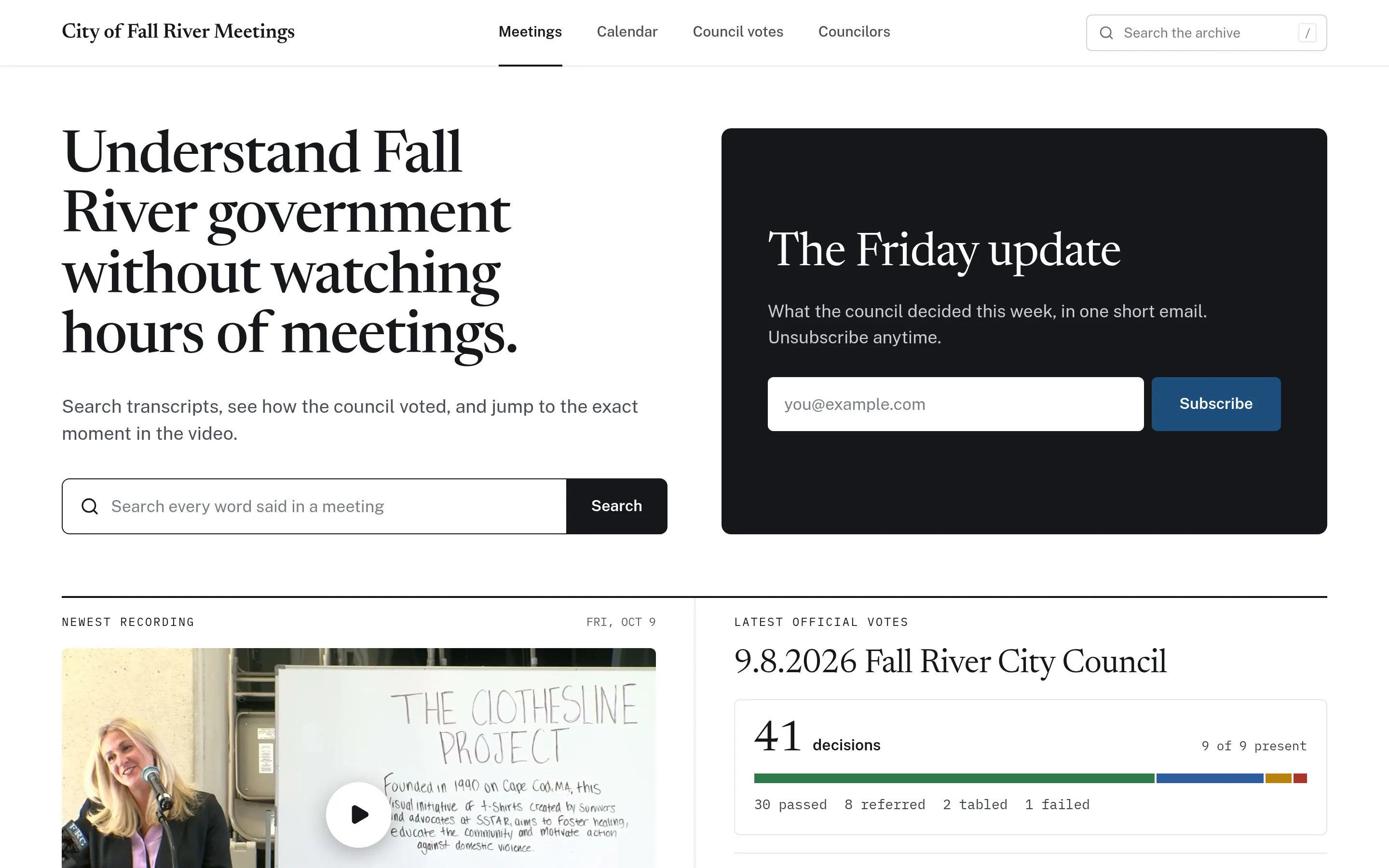
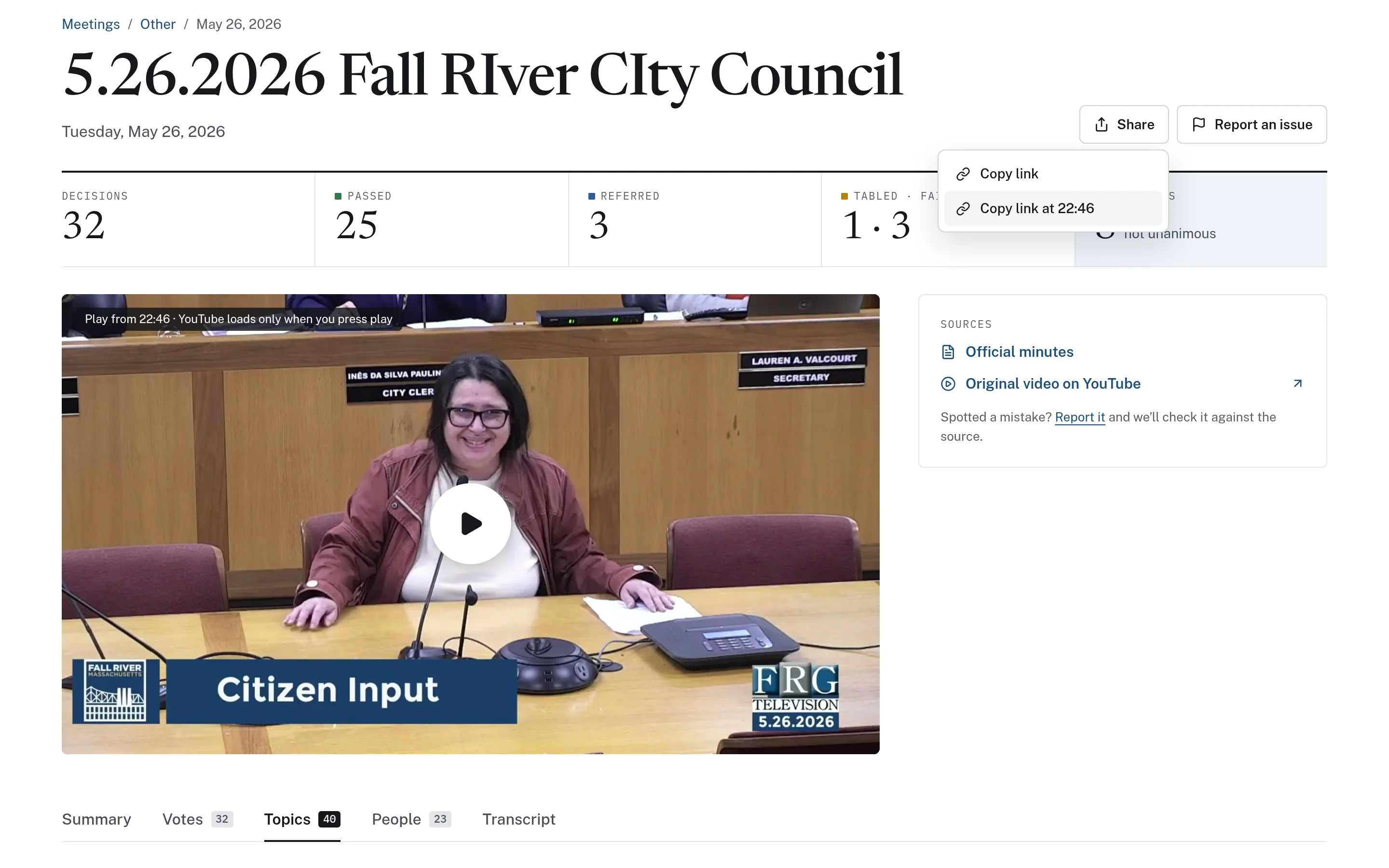
Meeting page with decision counts, a video set to start at 22 minutes 46 seconds, links to the official minutes and original video, and a share menu offering a link to that exact moment.
CivicMeeting
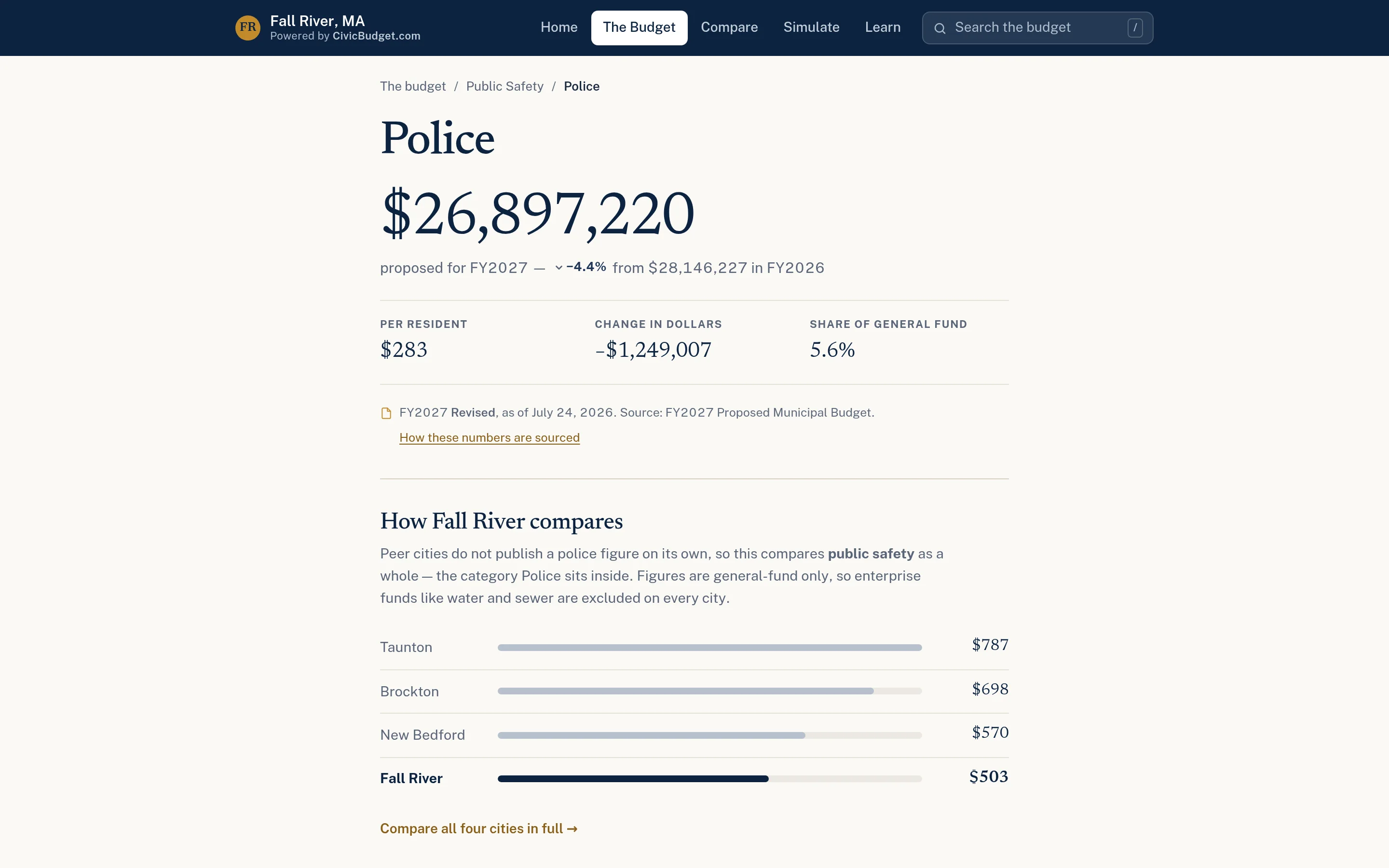
Police department budget page showing the FY2027 proposed amount, change from the prior year, per-resident cost, share of the general fund, and a peer-city comparison chart.
CivicBudget
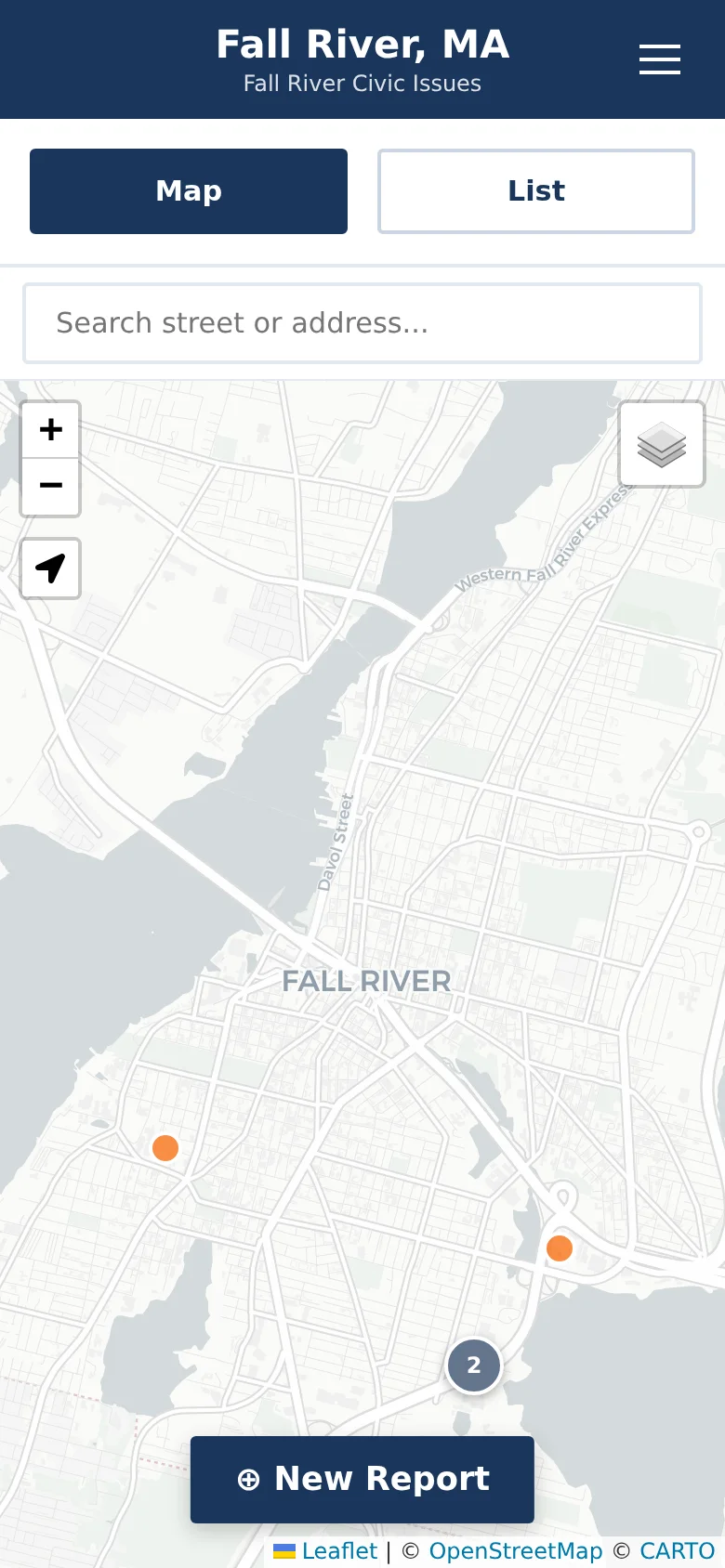
Mobile view of the CivicReport issue map with Map and List tabs, an address search, issue pins, and a New Report button.
CivicReport

Four affordable tools that have a big impact.

Helping local governments work more efficiently and keep their communities informed.

CivicReport

Resident Reporting & Issue Management

Respond to community needs.

Give residents a straightforward reporting experience while helping municipal staff organize and manage incoming issues.

  • Account-free mobile reporting
  • Municipal administration dashboard
  • Department routing & verification
Explore CivicReport: Resident Reporting & Issue Management
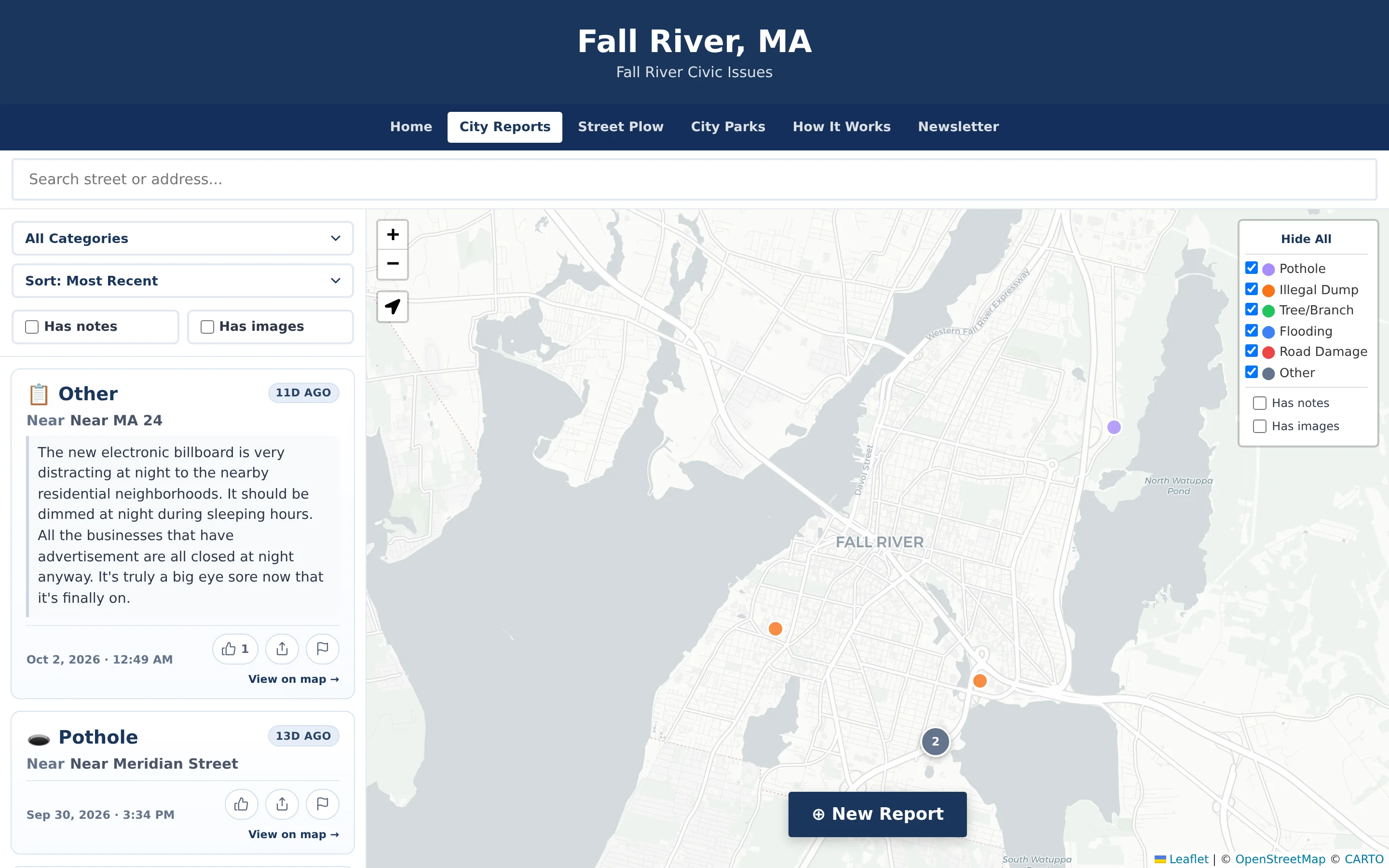
CivicReport issue map for Fall River: a filterable list of resident reports on the left and colour-coded issue pins with a category legend on the map.

CivicMeeting

Public Meeting Transparency

Make local decisions easier to follow.

Turn public meetings into searchable, understandable information.

  • Searchable transcripts & archives
  • Timestamped topics & summaries
  • Vote records from official minutes
Explore CivicMeeting: Public Meeting Transparency
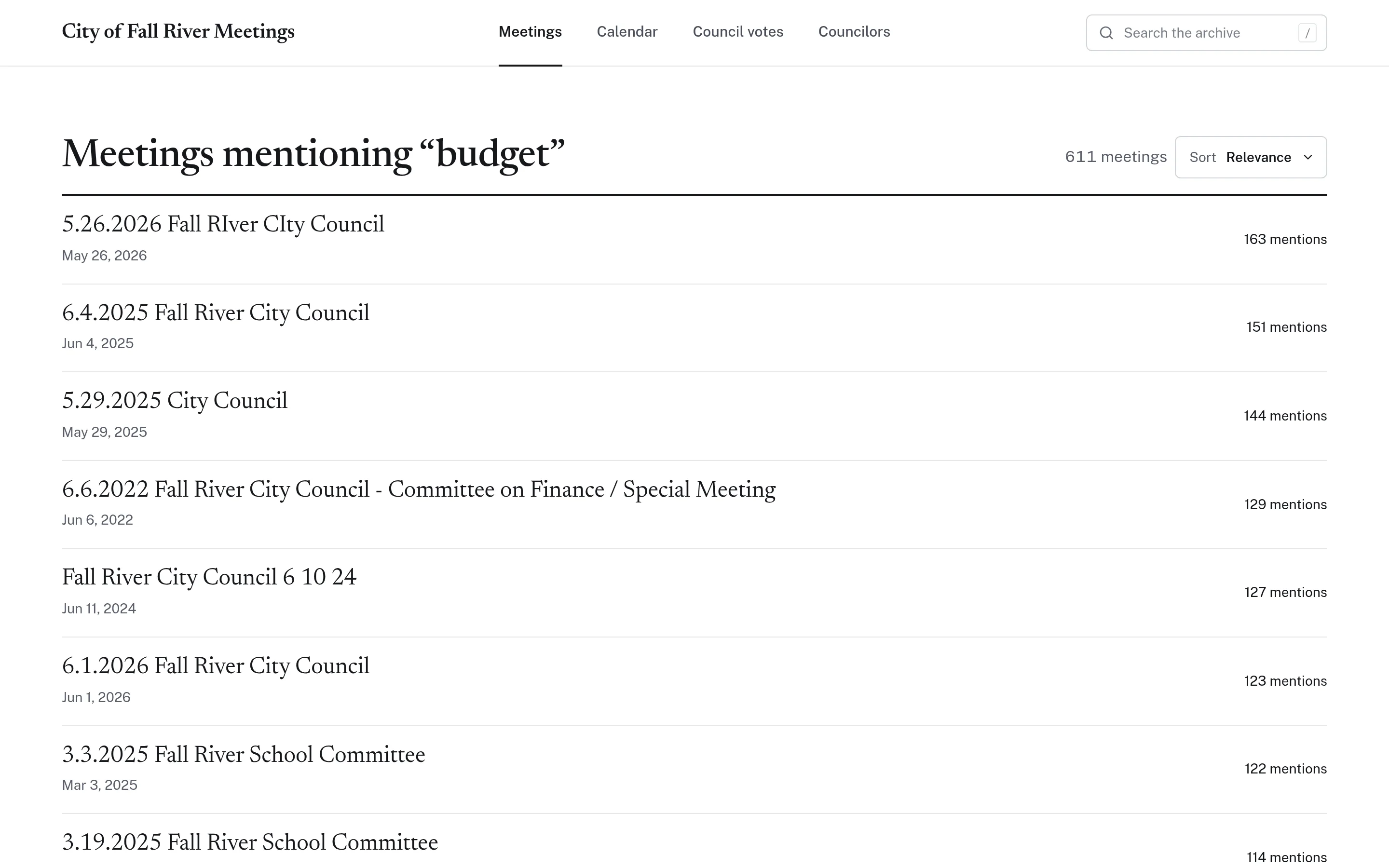
Search results for the word budget across 611 meeting transcripts, ranked by number of mentions.

CivicBudget

Municipal Budget Transparency

Make public spending easier to understand.

Present municipal budgets through accessible and interactive financial information.

  • Searchable budget explorer
  • Department breakdowns & charts
  • Peer municipality comparisons
Explore CivicBudget: Municipal Budget Transparency
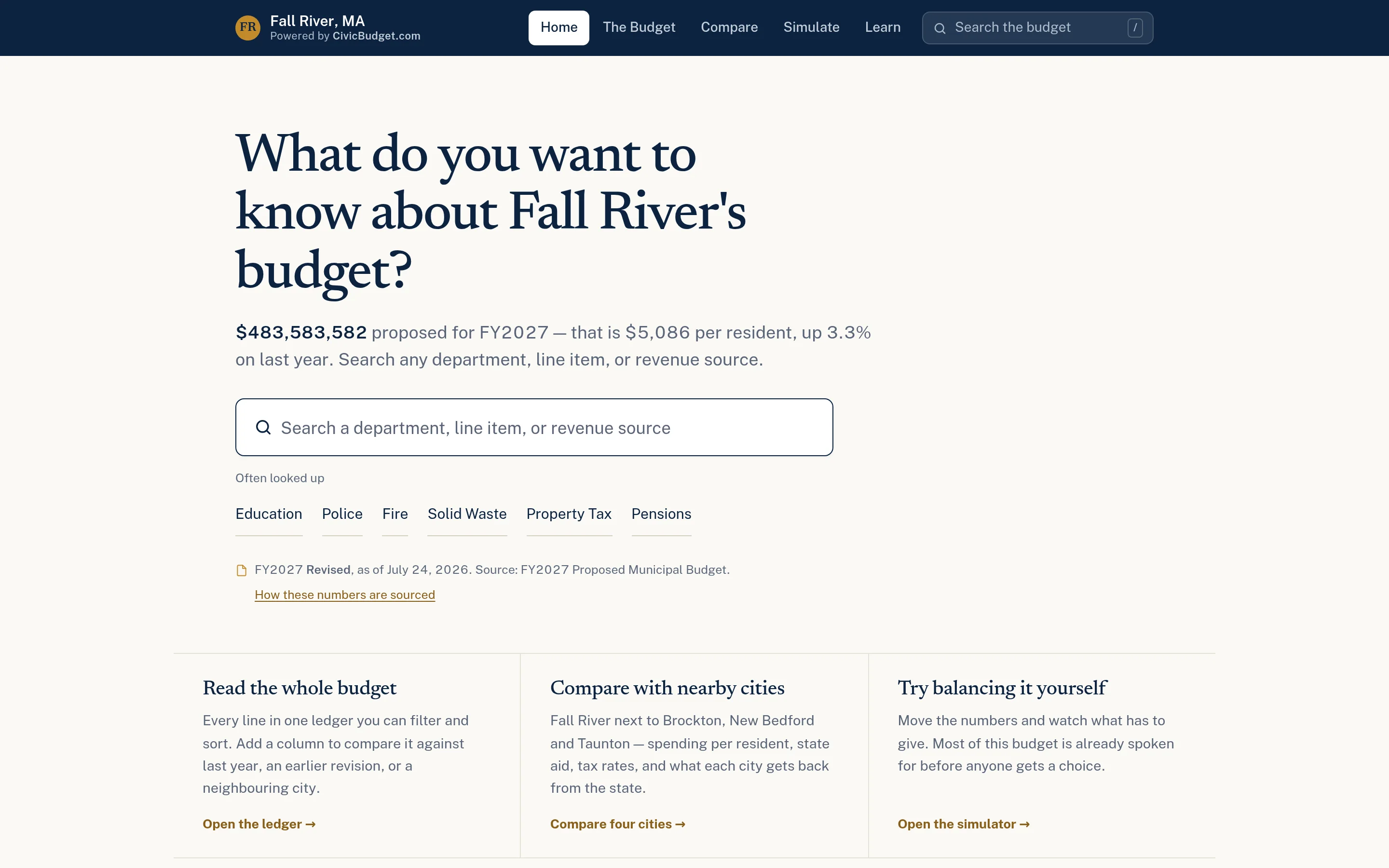
Fall River budget explorer home page asking what you want to know about the budget, with the FY2027 proposed total, a search box, and links to the ledger, city comparison, and simulator.

CivicMaps

Emergency & Municipal Planning

Plan and coordinate with confidence.

Build and share visual plans for emergency preparedness and municipal coordination.

  • Multiple maps & planning scenarios
  • Department collaboration
  • Tabletop exercise planning
Explore CivicMaps: Emergency & Municipal Planning
CivicMaps planning workspace showing Fall River with labelled schools, fire stations, police, hospitals, and civic buildings, a tool sidebar, and a scenario selector.

Built for the realities of local government.

Local governments need practical technology that works without requiring enterprise budgets or complicated implementations.

About CivicTally
  • Affordable

    Modern software without unnecessary enterprise complexity — or enterprise pricing structures built for much larger cities.

  • Approachable

    Interfaces designed to be understandable for municipal staff and residents, with nothing to install and little to learn.

  • Practical

    Useful software focused on real municipal needs: reports to route, meetings to find, budgets to explain, plans to share.

  • Flexible

    Products that can be configured around local requirements — your categories, departments, sources, and partners.

CivicReport

From resident reports to municipal action.

CivicReport gives residents a simple way to report non-emergency issues while providing municipal staff with a centralized dashboard to review, organize, route, and manage incoming reports.

  • Resident issue reporting — no account or app required
  • Interactive reporting maps
  • Municipal administrative dashboard
  • Department-specific email routing
  • Issue tracking and verification
Explore CivicReport

1 Resident view

CivicReport issue map for Fall River: a filterable list of resident reports on the left and colour-coded issue pins with a category legend on the map.
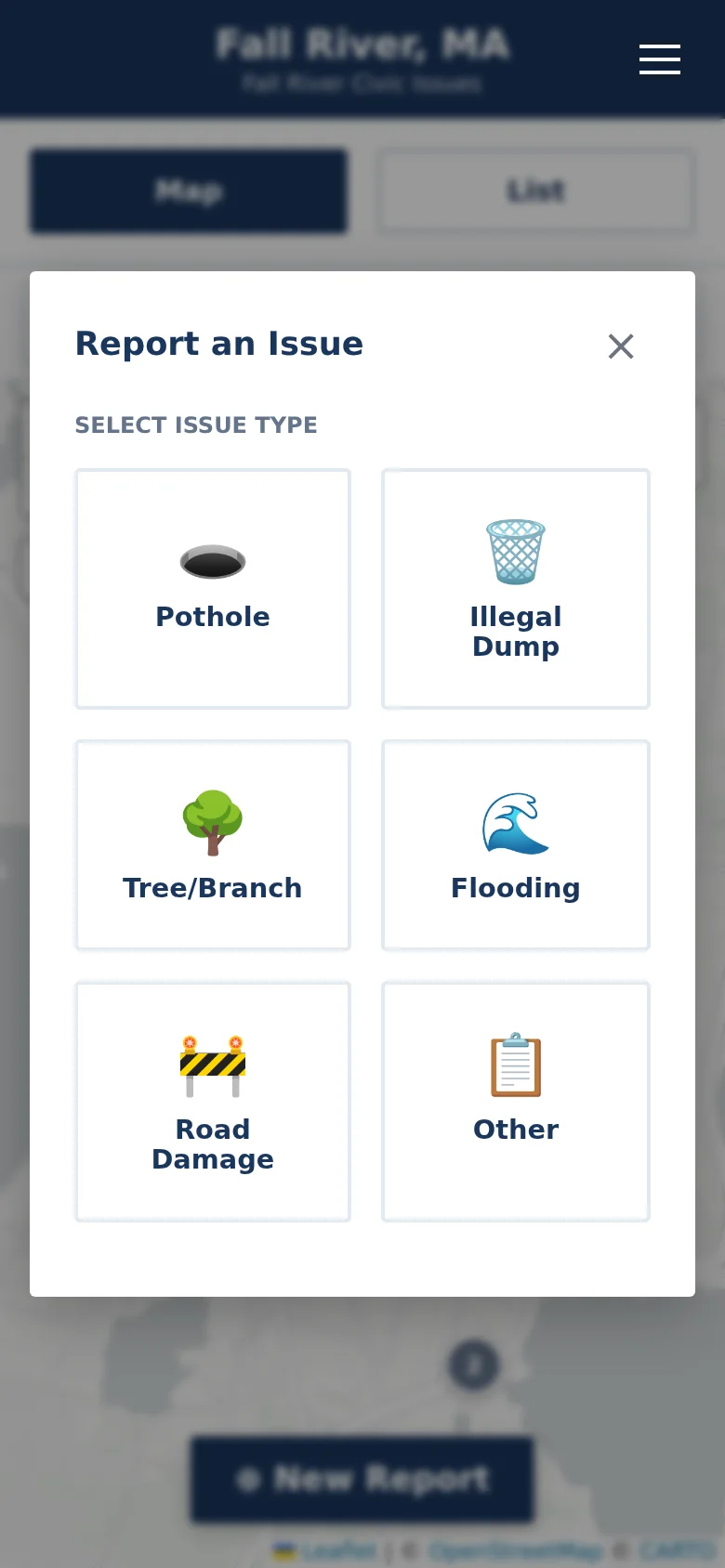
Mobile Report an Issue dialog with six large category buttons arranged in a grid.

2 Staff view

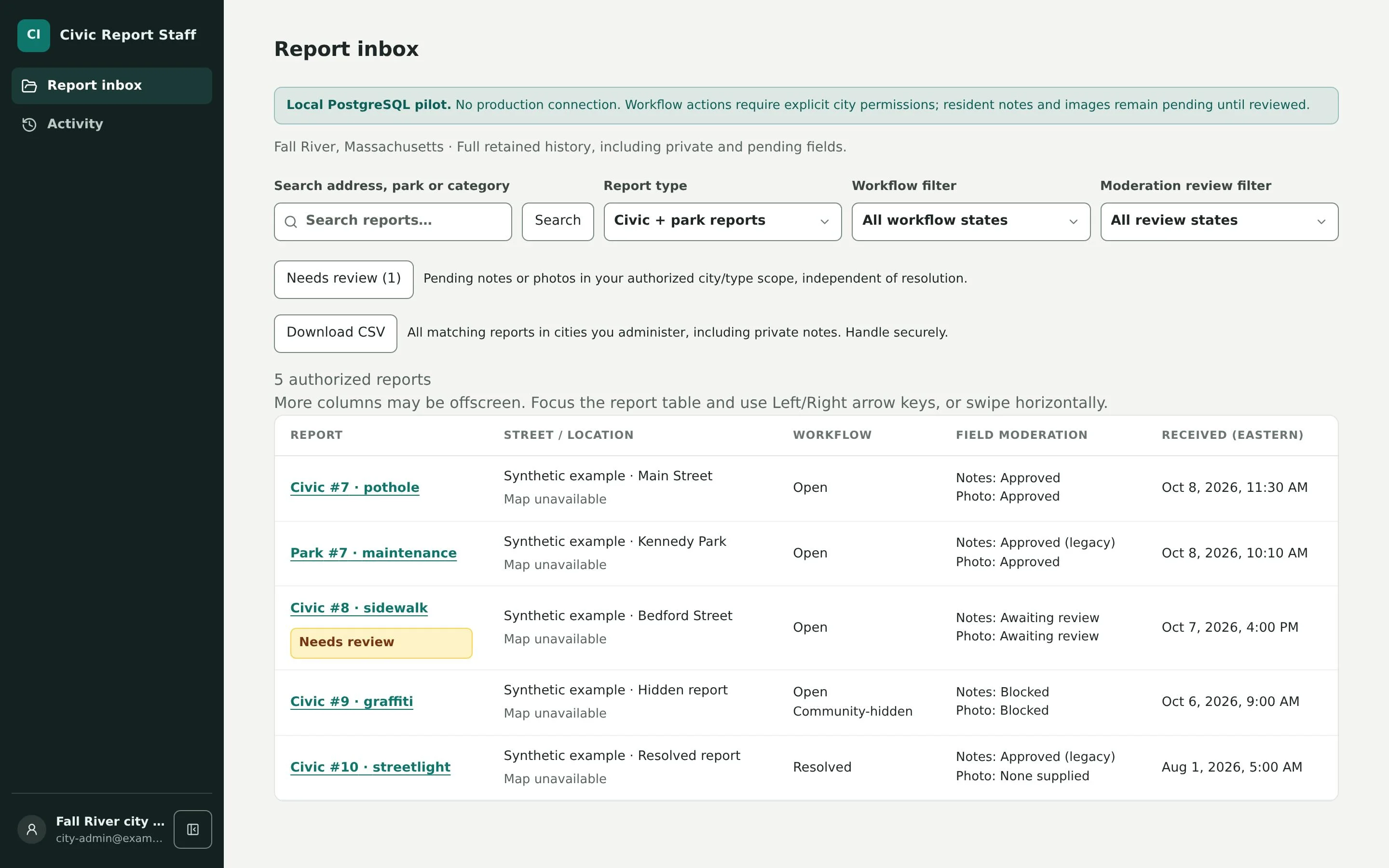
CivicReport staff report inbox listing five sample reports with their location, workflow state, note and photo moderation status, and received time, above search, report type, workflow, and moderation filters.
  1. Step 1

    Resident submits a report

    Choose a category, place a pin on the map, and optionally add a short description or photo. No account or app download needed.

  2. Step 2

    Dashboard receives it

    The report appears in the municipal administration dashboard alongside every other incoming issue, with its location and details.

  3. Step 3

    Department is notified

    Reports are routed by category to the responsible department, which receives an email notification.

  4. Step 4

    Staff track and verify

    Staff review content, update status, mark issues fixed, and verify resolution so the public record stays accurate.

CivicMaps

Better planning starts with a shared picture.

CivicMaps helps municipalities create, organize, and share geographic plans for emergency preparedness, tabletop exercises, and coordinated municipal operations.

Explore CivicMaps
Aerial imagery of Fall River with FEMA flood-risk areas shaded in blue and emergency-relevant locations marked on top.
CivicMaps public guest view: 2025 aerial imagery with mapped FEMA flood-hazard areas and public facilities. Planning scenarios are private to authorized accounts.
  • Multiple planning scenarios
  • Collaborative maps
  • Department coordination
  • Emergency tabletop exercises
  • Stakeholder sharing

Citizens want more communication. We have the tools to help you.

Meetings and budgets are already public. CivicMeeting and CivicBudget make them understandable.

CivicMeeting

Turn meeting recordings into searchable, understandable information.

  • Transcripts
  • Summaries
  • Topics
  • Timestamps
  • Voting records
  • Newsletters
Explore CivicMeeting
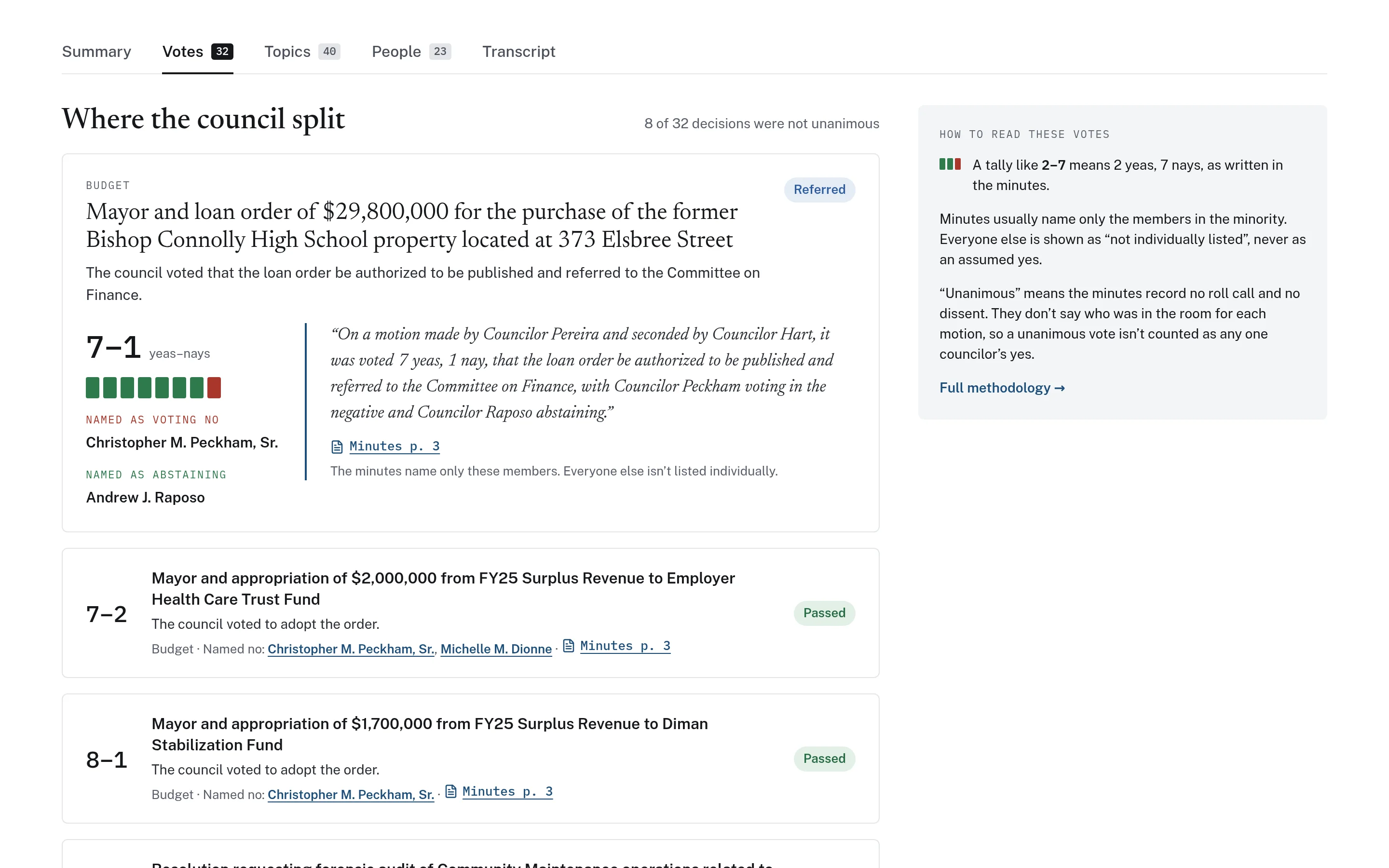
Split council votes from one meeting, each with a tally bar, named dissenting members, a quotation from the official minutes, and a page citation.
CivicBudget

Make public financial information easier to explore and understand.

  • Spending categories
  • Department budgets
  • Visualizations
  • Municipal comparisons
Explore CivicBudget
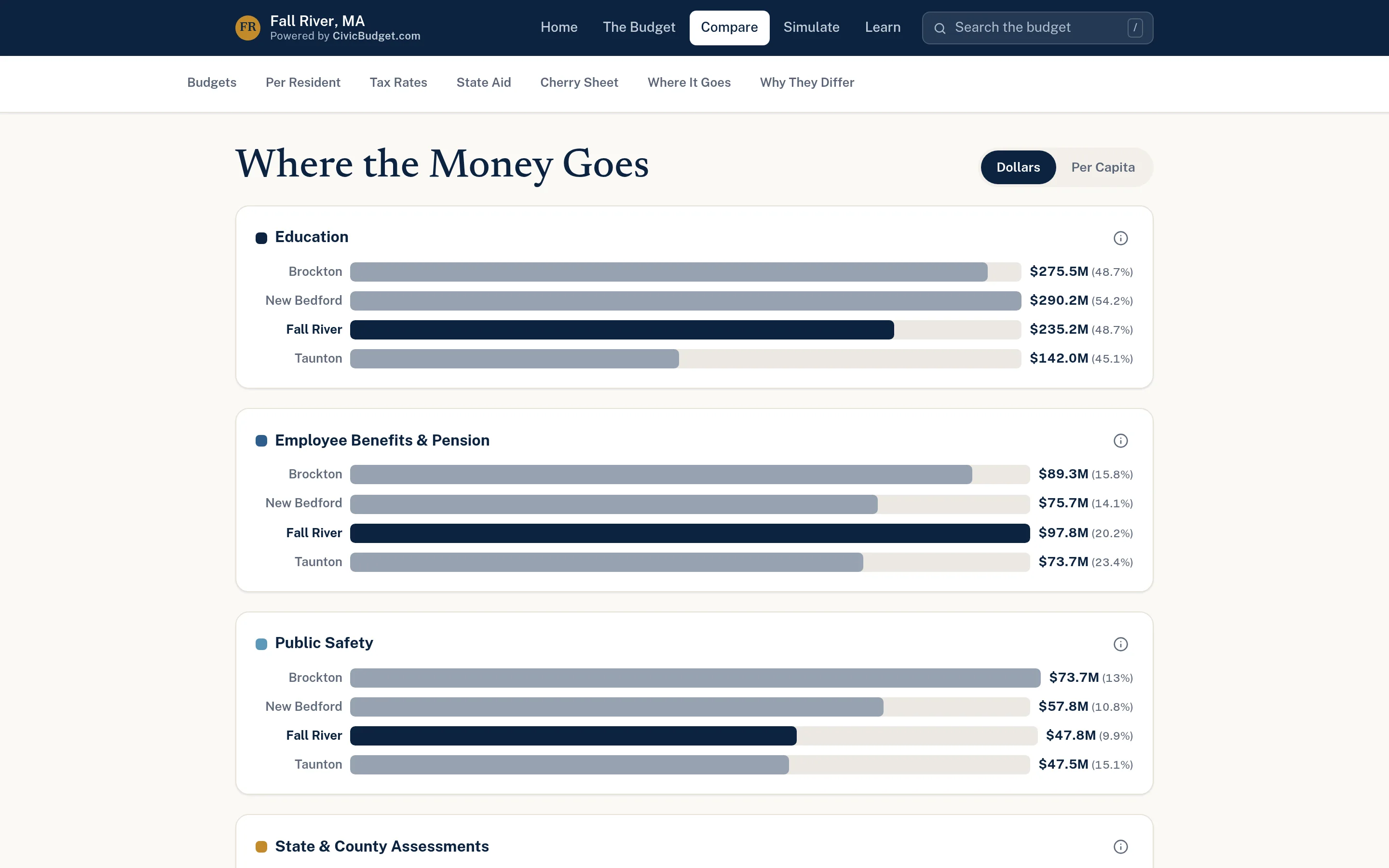
Grouped bar charts comparing education, employee benefits, and public safety spending across four cities, with a dollars or per-capita toggle.

Budget-friendly software for municipalities.

Every community operates differently. CivicTally helps municipalities select, configure, and implement practical software around their needs.

  1. Discover

    Discuss the municipality’s needs, the departments involved, and the information you already publish.

  2. Configure

    Select the right products and available features, then set them up around your categories, sources, and teams.

  3. Launch

    Implement the software, help staff get started, and stay available as your team settles in.

See CivicTally in action.

Each product runs publicly today in Fall River, Massachusetts. These are independent community applications built on CivicTally software — not official City of Fall River deployments.

More about these examples

Let’s make local government technology simpler.

Whether you’re improving resident reporting, expanding public transparency, or preparing for the unexpected, CivicTally can help you find a practical solution.